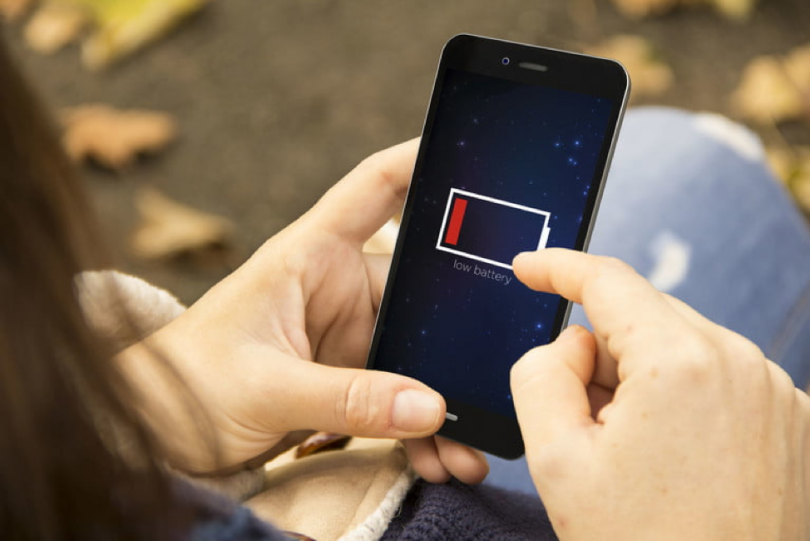

Battery life is the most common complaint about smartphones. Phones keep getting faster and screens keep getting brighter, but the battery still seems to run out before the day does. At the same time, the internet is full of battery advice, and much of it is outdated or simply wrong.
This guide separates myths from facts and explains two different goals: getting more hours out of a single charge, and keeping your battery healthy over the years you own the phone.
How Smartphone Batteries Work
Almost every modern smartphone uses a lithium ion or lithium polymer battery. These batteries store energy by moving lithium ions between two electrodes. Over time, every charge and discharge cycle causes tiny chemical changes that reduce how much energy the battery can hold. That gradual decline is normal and unavoidable, but how you charge and use the phone affects how fast it happens.
Two factors cause the most wear:
- Heat: high temperatures speed up chemical ageing.
- Extreme charge levels: spending long periods at 100 percent or near 0 percent stresses the battery more than staying in the middle range.
Keep those two in mind, and most good advice makes sense.
Common Battery Myths
Myth: You Should Let the Battery Drain Completely
This advice comes from older nickel based batteries. Lithium ion batteries do not have a “memory effect”. Regularly draining to zero actually adds stress. Charging whenever it is convenient is perfectly fine.
Myth: Charging Overnight Destroys the Battery
Modern phones stop charging at full and include protection circuits. The bigger issue is sitting at 100 percent for hours, which causes mild extra wear. Features such as optimised or adaptive charging, discussed below, solve this.
Myth: Closing All Background Apps Saves Battery
Swiping away every app often uses more power, because the phone has to reload them from scratch the next time you open them. Operating systems already manage background apps efficiently. Only close apps that are misbehaving.
Myth: Fast Charging Ruins Batteries
Fast charging generates more heat, but phones are designed to manage it, typically slowing down as the battery fills. Occasional fast charging is fine. If you have plenty of time, slower charging is slightly gentler, but it is not something to worry about daily.
Settings That Improve Daily Battery Life
Manage Screen Brightness and Timeout
The display is usually the single biggest power consumer. Enable adaptive or auto brightness, and set the screen timeout to 30 seconds or one minute. Avoid keeping brightness at maximum indoors.
Adjust the Refresh Rate
Many phones now have high refresh rate screens of 90Hz, 120Hz or more. They make scrolling smoother but use more power. If your phone offers an adaptive refresh rate, keep it on. If battery matters more than smoothness on a particular day, switch to the standard 60Hz setting.
Use Dark Mode on OLED Screens
On OLED and AMOLED displays, black pixels are switched off completely, so dark mode can save meaningful power, especially at higher brightness. On LCD screens, the benefit is minimal because the backlight stays on.
Limit Location Access
GPS is power hungry. Review location permissions and set most apps to “only while using the app” or deny location entirely if it is not needed. Turn off precise location for apps that only need a rough area, such as weather.
Control Background Activity
Both Android and iOS let you see which apps use the most battery. Check this regularly. If an app you barely use appears near the top, restrict its background activity or uninstall it. Social media and shopping apps with frequent notifications are common culprits.
Trim Notifications
Every notification can wake the screen and the processor. Turn off notifications for apps that do not need your immediate attention.
Use Battery Saver Smartly
Battery saver modes reduce background activity, visual effects and performance. They are excellent when you know you will be away from a charger for a long time. Many phones can switch them on automatically at a chosen percentage.
Network and Connectivity Tips
Weak Signal Drains Power
When mobile signal is poor, the phone increases transmission power to stay connected. In areas with very weak coverage, such as basements or remote locations, switching to Wi Fi or turning on airplane mode when you do not need connectivity can save a lot of battery.
5G Versus 4G
5G can use more power, especially in areas where coverage is patchy and the phone keeps switching between networks. Many phones offer a smart or auto network mode that uses 5G only when it is beneficial. If your 5G coverage is weak, choosing 4G can improve battery life.
Turn Off What You Are Not Using
Bluetooth and Wi Fi use little power when idle on modern phones, but constant scanning for devices and networks can add up. Disable features like hotspot and NFC when not in use.
Habits That Protect Long Term Battery Health
Keep It Cool
Avoid leaving your phone in a hot car, on a sunny dashboard or under a pillow while charging. Remove thick cases during long charging sessions or heavy gaming if the phone gets noticeably warm.
Use Optimised Charging
Most modern phones include a feature, often called optimised, adaptive or protected charging, that learns your routine and holds the battery at around 80 percent until shortly before you usually unplug. Some phones also let you cap charging at 80 or 85 percent permanently. Turn these features on if you charge overnight.
Aim for the Middle Range
When convenient, keep the battery roughly between 20 and 80 percent. You do not need to be strict about it. Simply avoiding frequent full drains and long periods at 100 percent helps.
Use Quality Chargers and Cables
Cheap uncertified chargers can deliver unstable power and generate excess heat. Use the manufacturer’s charger or a reputable certified alternative.
Store It Properly
If you plan to store a phone for weeks or months, leave it at around 50 percent charge and switch it off.
When to Replace the Battery
Check your battery health. iPhones show it under Battery Health in settings, and many Android phones show it in battery or device care sections. When capacity drops significantly, often below about 80 percent of the original, or the phone shuts down unexpectedly, a battery replacement can make an older phone feel new again and is far cheaper than buying a new device.
Final Thoughts
Good battery life comes from a combination of smart settings and sensible habits. Control the screen, limit unnecessary background activity and location access, and watch out for weak signals to stretch each charge further. For long term health, avoid heat, enable optimised charging and stay out of the extremes when you can. These small changes add up to more hours each day and more years from your phone.